
Short domain (@pm.me) email addresses
- Reading
- 2 mins
- Category
- Addresses and identities
Short domain email addresses make it easier to type out your Proton Mail email address and share it with others.
Anyone on a paid Proton Mail plan can activate an @pm.me(new window) email address, except for users in a Proton organization.
In this article
- How it works
- Activating your @pm.me address
- Sending an email from your @pm.me address
- Short domains and Proton Free
How it works
When you activate your short domain:
- Both addresses can be used to send and receive emails. For example, the user Eric Norbert can use both eric.norbert@protonmail.com and eric.norbert@pm.me.
- Once activated, a short domain address (@pm.me) can’t be disabled or deleted.
Your short domain address doesn’t count toward your account address limit. However, additional addresses created with the @pm.me domain will count toward your limit.
Activating your @pm.me address
1. Sign in to your Proton Account at mail.proton.me(new window).
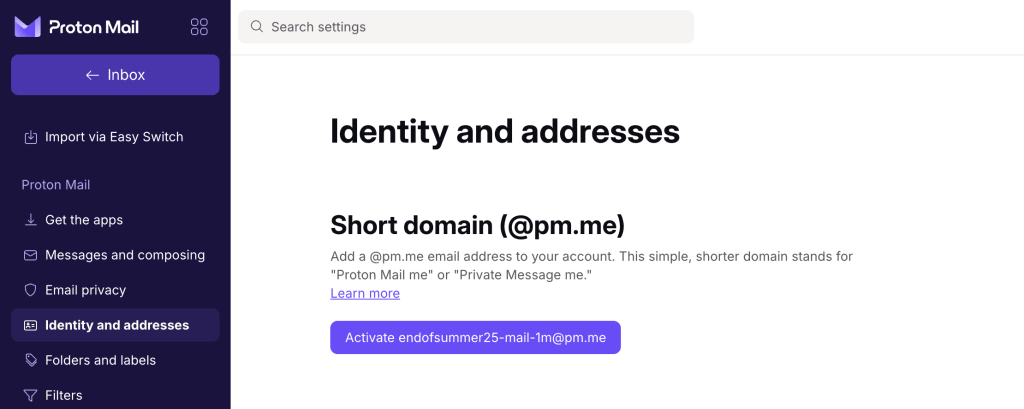
2. Go to Settings → All settings → Identity and addresses. Under Short domain, click Activate username@pm.me.
Sending an email from your @pm.me email address
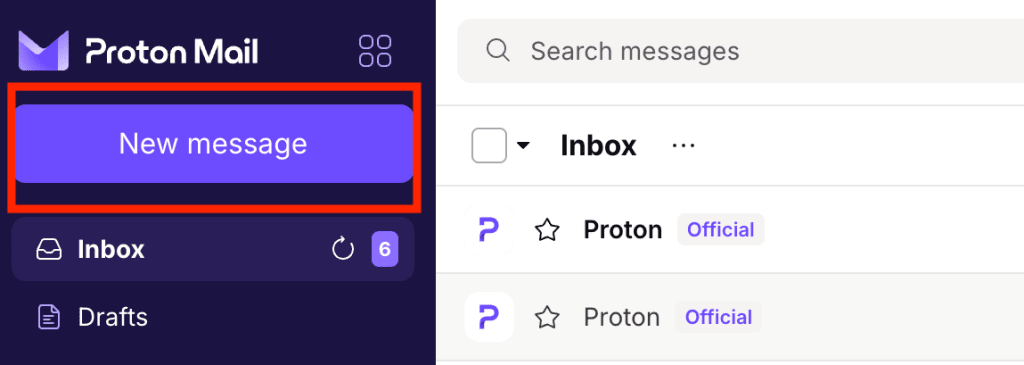
1. Go to your Proton Mail inbox and click New message to open the email composer.
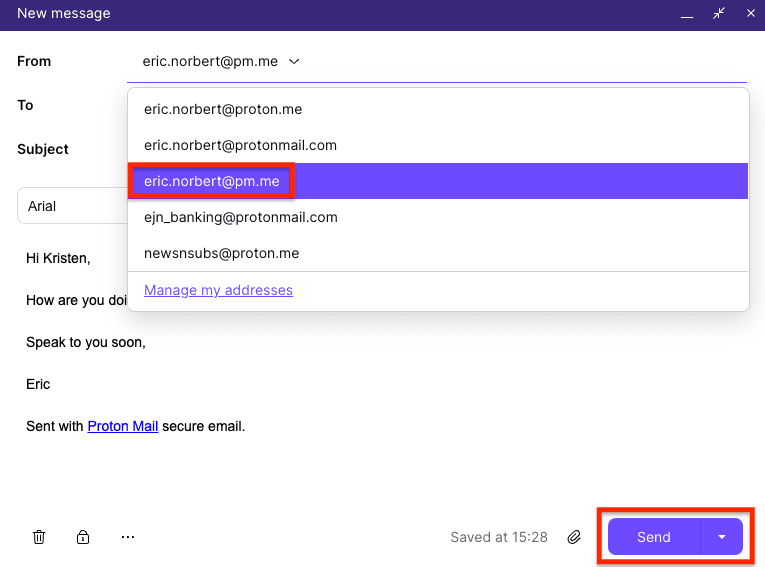
2. Select your @pm.me address from the dropdown options in the From field, write your message, and click Send.
Short domain addresses are not available with Proton Free
To activate your @pm.me address, you’ll need to upgrade to a paid plan.
If you downgrade from a paid plan to Proton Free, your short domain address will be converted to receive-only. You can still receive messages sent to your @pm.me address, but you won’t be able to send emails from it.
Note: In the past, anyone on Proton Free could activate a receive-only @pm.me(new window) address, but this is no longer the case.