
Activity monitor | Proton for Business support
Activity monitor provides insight into user and administrator activity across an organization. Admins can audit and review important events through a central dashboard.
There are currently four monitoring tools available:
- Account monitor: Shows authentication, sign-in, and account management events. Available with Proton Business Suite and all Proton for Business plans at the Professional tier.
- Organization monitor: Shows organization-level changes made by administrators. Available with Proton Business Suite and all Proton for Business plans at the Professional tier.
- Gateway monitor(nouvelle fenêtre): Shows real-time connection data from your organization’s dedicated VPN servers. Available with Proton Business Suite and all Proton VPN for Business plans at the Professional tier.
- Pass usage logs: Shows activity from Proton Pass accounts in your organization (like changes made to passwords and vaults). Available with Proton Business Suite and all Proton Pass for Business plans at the Professional tier.
Accessing activity monitor
- Sign in to account.proton.me using your administrator account.
- Select Settings → All settings.
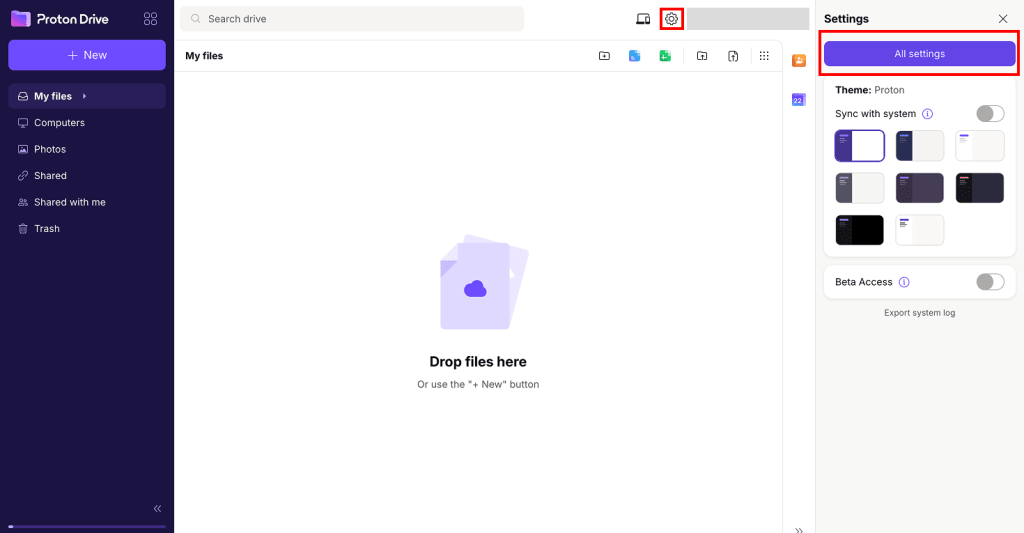
- Select Activity monitor from the sidebar.
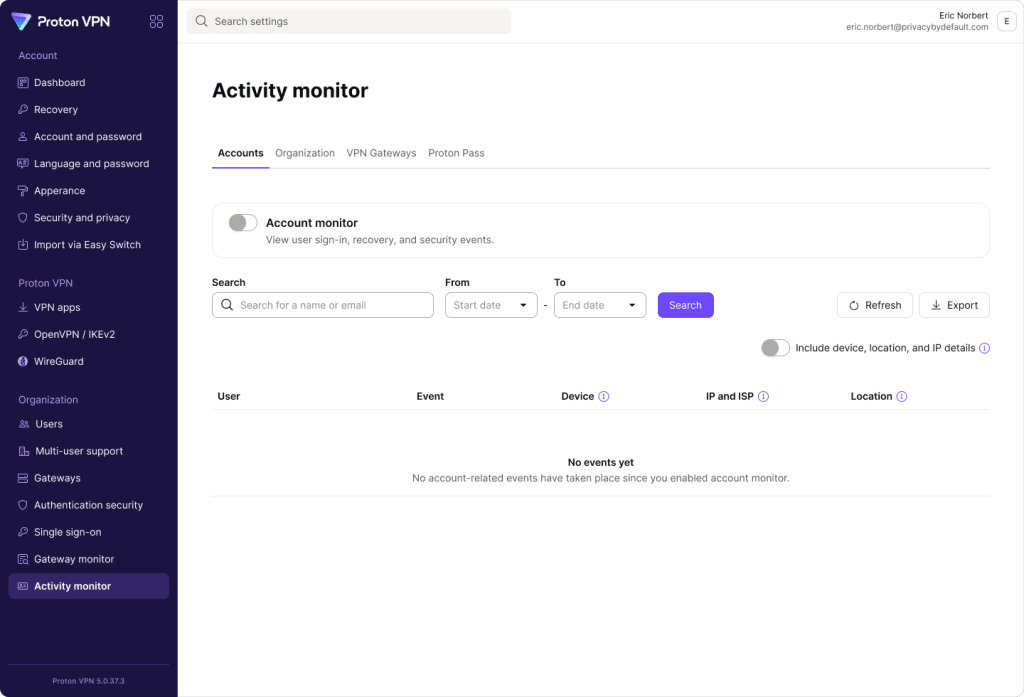
4. Each monitor has its own page. Use the tabs to select a page, then enable the monitor to start collecting events.
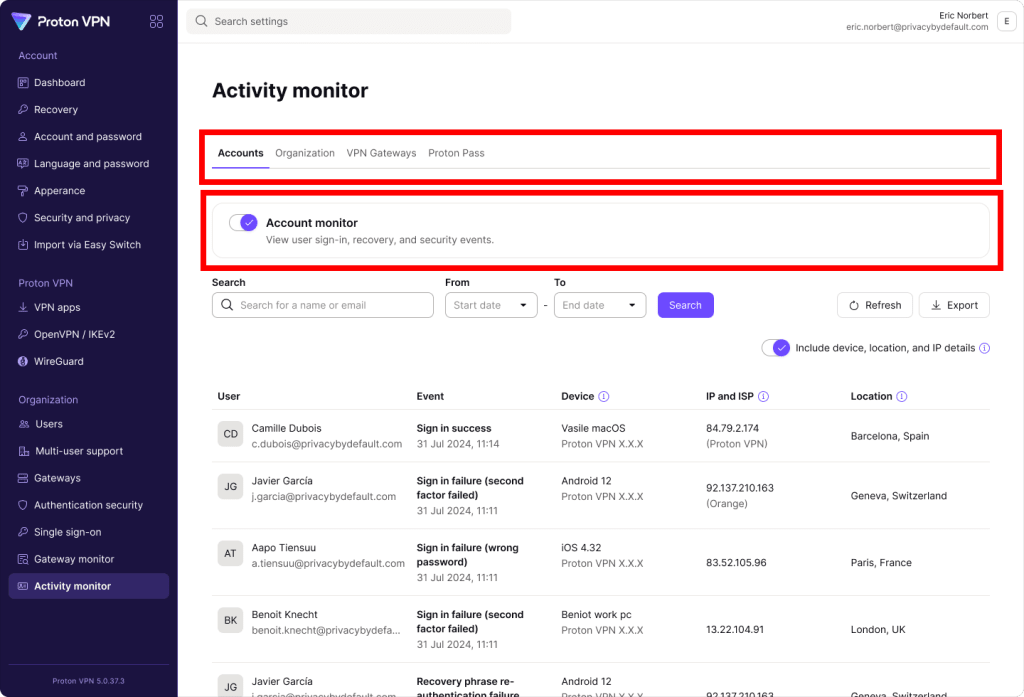
View detailed activity monitoring guides
Why use activity monitor?
It’s important for IT and security teams to know what’s happening in their organization. They need a way to track user activity, ensure compliance with security policies, and detect potential cyber threats.
Activity monitor provides Proton for Business admins with the visibility they need to investigate security incidents, troubleshoot user issues, and meet compliance requirements.